← All case work
02 · AGENTIC WORKFLOWS
Routine work and cross-system automation
Long-running tasks that can work across browsers, APIs, files, and internal systems—while pausing for people at consequential steps.
Replace repetitive cross-system work with automation that can pause, resume, recover, and show exactly what happened.
Custom engineeringCase workWorking prototype
WEILIAN ANXIN / agent-runtimePRODUCT INTERFACE
THE BUSINESS PROBLEM
Where daily work and management decisions become harder.
Tasks combine files, APIs, and approvals
Traditional RPA cannot handle unstructured material
Operators need a trace of every automated action
Where it fits
Built for work that
standard software misses.
We start with one high-value workflow, make its scope and operating risks explicit, and expand only after the first version is proven in use.
Teams repeat the same work across web systems
Tasks combine files, APIs, and approvals
Traditional RPA cannot handle unstructured material
Operators need a trace of every automated action
Operating flow
How work moves
through the system.
Roles, permissions, review points, and exception rules are adapted to the customer’s current operating model.
01→
Receive the taskRead the objective, files, account scope, and completion conditions.
02→
Plan the executionOrder dependent steps and define what to do on failure or when waiting.
03→
Operate tools and systemsUse browsers, APIs, files, or business software to complete each step.
04→
Check permission and riskDetect external sends, data changes, and irreversible actions before they run.
05→
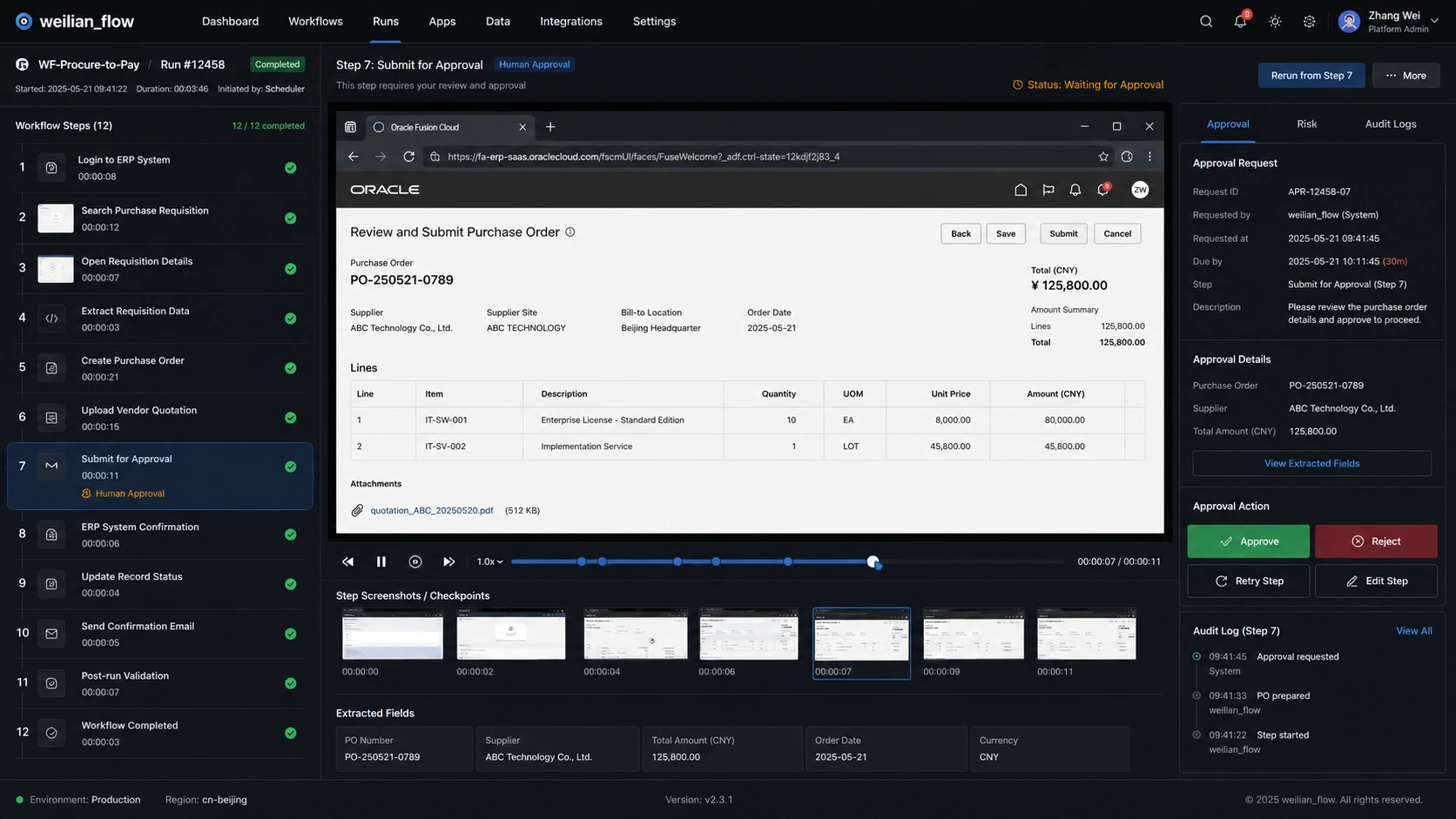
Request human approvalShow the content, impact, and target account to an authorised reviewer.
06✓
Read back the outcomeRe-open the target state and verify that the intended result actually occurred.
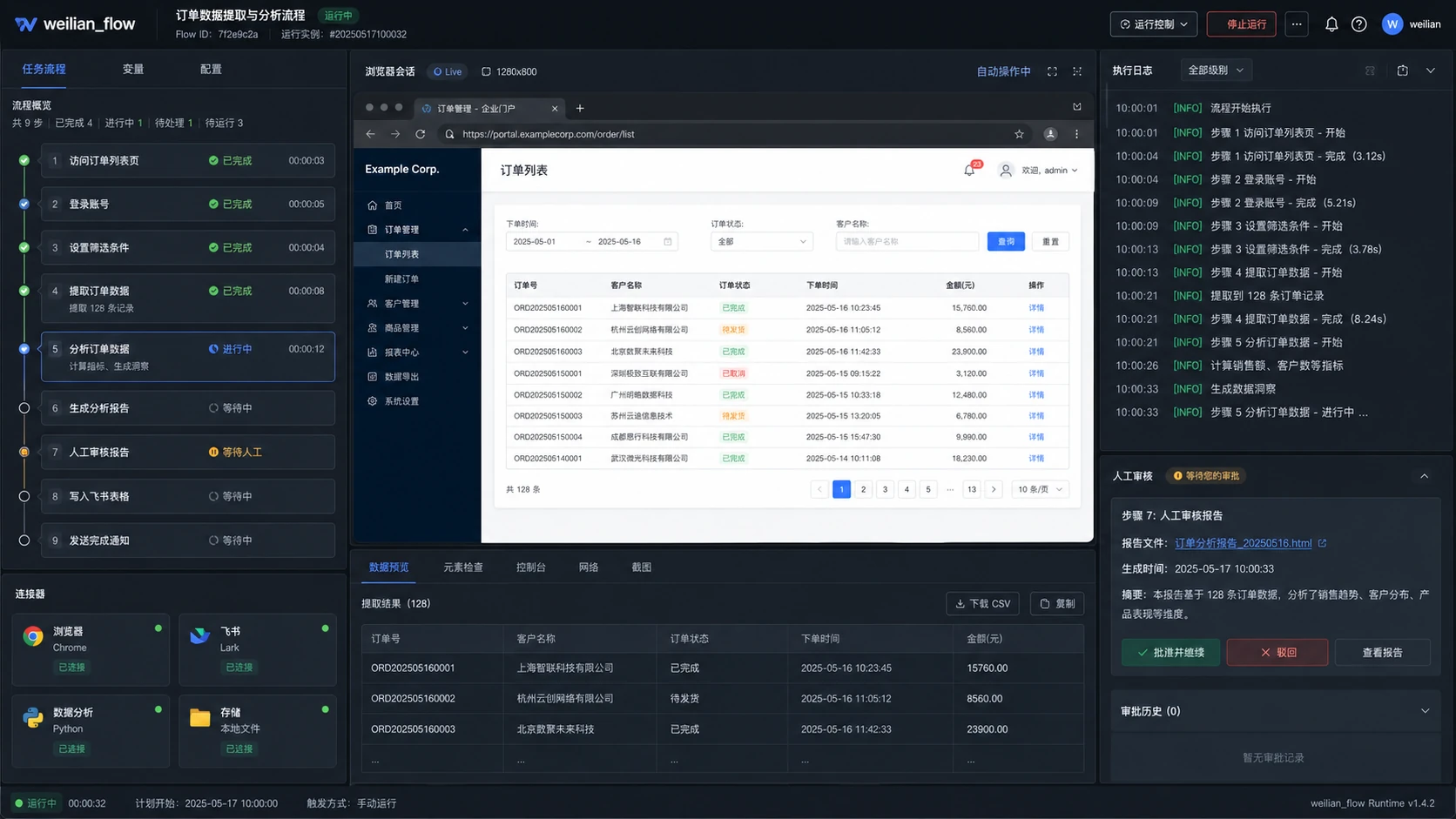
EXECUTION TRACE
State, permission, and readback at every step
Select a stage to inspect the operating rhythm that distinguishes this class of system.
Product surfaces
Inspect the controls,
states, and outputs.
These interfaces come from real business workflows. Public screens remove customer-sensitive data while preserving the operating structure.
Scope
Choose the modules
the workflow requires.
Modules can be delivered independently or connected to existing software after discovery confirms the data and permission boundaries.
Engineering decisions
Technology follows
the operating requirement.
Data volume, latency, security, and current systems determine the final architecture.
Stateful agent runtime
Long tasks retain context, progress, and intermediate results across interruptions.
Layered tool permissions
Reading, drafting, changing, and submitting use distinct scopes.
Outcome readback
The system verifies external state instead of treating a click as completion.
Project boundaries
Scope and operating
conditions stay explicit.
- Payments, deletion, and irreversible actions require project-defined approval.
- CAPTCHAs, strong identity checks, and high-risk actions remain human-controlled.
- Automation scope depends on target-system interfaces, stability, and authorisation.
IMPLEMENTATION & HANDOVER
Agree the scope, integration needs and ongoing support.
Agree development, deployment, training, maintenance and customer involvement, with cost and acceptance documented for the project.
Delivery scope
- Workflow and permission design
- Agent operations console
- Tool connectors
- Recovery and monitoring design
Existing systems and information
- Browsers and enterprise portals
- REST / GraphQL APIs
- Files and object storage
- ERP / CRM / ticketing
- MCP-style business tools
- Desktop or server runtime
START A CONVERSATION
Start with the work that most needs to improve.
Tell us how the work happens today, where time is lost, which systems you use and what needs to improve. We can then discuss scope, implementation and collaboration.
Discuss your business needs ↗